

Start by checking the collar battery, the collar-to-base lights, and restarting the base. Those three checks resolve most containment failures in a GPS dog fence system. If the lights show a normal pattern and the restart doesn’t fix it, the issue is usually the boundary shape, interference, or fit rather than a broken unit. Work through the checks below in order before assuming you need a replacement part.
TL;DR:
- Most connection issues stem from low collar batteries, incorrect LED patterns, loose fit, or Wi-Fi disruptions, which should be checked first.
- Reproducing boundary failures on a leash, inspecting app logs, and testing with a second collar quickly identify environmental or hardware faults.
- Boundary drift often results from signal interference caused by metal, dense tree cover, or other nearby electronic devices, requiring repositioning of the base and boundary adjustments.
- Verifying the fix involves leashed boundary walks, app test modes, and retraining the dog to respect the corrected boundary, with regular system maintenance recommended.
- Support or repairs are necessary if the collar or base show hardware failure signs, if the dog escapes again, or after documenting detailed conditions and troubleshooting steps.
Table of Contents
- Quick Fixes: Immediate Checks That Solve Most Problems
- How Do You Diagnose a GPS Dog Fence Problem Step by Step?
- Fixing Your GPS Dog Collar: Battery, Fit, and Pairing Issues
- Why Does My Dog’s GPS Fence Boundary Keep Shifting?
- How Do You Confirm a Fix Actually Worked?
- When Should You Contact Support or Use Temporary Containment?
- Owner Mistakes We See Most Often
- How Haven Freedom Cuts Down on Troubleshooting Time
- FAQ
Quick Fixes: Immediate Checks That Solve Most Problems
Before digging into anything technical, run through the basics. Vendor support pages across the GPS collar industry converge on the same short list of first steps, and it’s the same list a PetSafe support page recommends for its own GPS fence collars: battery, LEDs, restart.
- Check the collar charge. A collar with low battery charge often drops its connection to the base before it dies completely.
- Read the LED pattern. A solid green light usually means “connected and contained.” Blinking amber or red almost always signals a pairing or boundary problem.
- Restart both units. Power down the collar and the base, wait 30 seconds, then bring the base back online first, followed by the collar.
- Verify Wi-Fi on the base. If your system uses a connected base station, an interrupted home network will break communication even when the hardware is fine.
- Check the fit. A collar riding too loose can lose skin contact, which affects both correction delivery and sensor accuracy.
If all five check out and the problem persists, move to the diagnostic flow next. It takes longer, but it isolates exactly where the fault lives.
How Do You Diagnose a GPS Dog Fence Problem Step by Step?
Random fiddling wastes time. A structured GPS fence troubleshooting sequence tells you within minutes whether you’re dealing with the collar, the base, the environment, or the dog’s training.
- Reproduce the issue on a leash. Walk your dog toward the boundary in test mode, if your system has one, so you can watch the reaction without risking an actual escape.
- Check the app logs. Look for timestamped alerts, connection drops, or GPS jumps that line up with when the problem happened.
- Inspect the base placement and status. Confirm it’s powered, connected to Wi-Fi if applicable, and not buried behind metal siding or a large appliance.
- Isolate the parts. If you own a second collar or can borrow one, swap it in. If the new collar behaves the same way at the same spot, the fault is environmental, not the collar itself.
- Run a controlled boundary test. Walk the perimeter slowly in calm weather and compare the alert points to your app’s map.
Pro Tip: Write down the time, weather, and exact GPS point every time something goes wrong. A pattern that only shows up on cloudy afternoons near the north fence line tells you far more than “it sometimes doesn’t work.”
Documenting test conditions this way also speeds up any support conversation later, since technicians can rule out half the usual suspects before you even call.
Fixing Your GPS Dog Collar: Battery, Fit, and Pairing Issues
Most collar-specific failures trace back to four things: power, contact, pairing, and moisture.
- LED and app mismatch: If the app shows “connected” but the collar LED looks off, the collar may need a firmware refresh through the app rather than a hardware fix.
- Battery health: A collar that used to last three days but now dies in one has a degrading battery, not a software bug. Full charge cycles (rather than frequent top-offs) tend to preserve capacity longer.
- Pairing resets: If the collar won’t communicate with the base at all, a full factory reset followed by re-pairing in a quiet room, away from other electronics, usually clears the issue.
- Water exposure: Even water-resistant collars have limits. Check the charging port and contact points for corrosion or trapped moisture after swimming or heavy rain, since that’s a common cause of intermittent signal loss.
Why Does My Dog’s GPS Fence Boundary Keep Shifting?
Boundary drift feels like a hardware failure, but it’s almost always a signal problem. GPS accuracy depends on satellite geometry, and that geometry changes throughout the day. A boundary that reads as five feet wide during a clear morning can shift several feet by afternoon when fewer satellites are in a strong position overhead.
Physical interference makes this worse. Metal roofing, dense tree cover, nearby cell towers, and even a neighbor’s new Wi-Fi router can all distort the signal your base or collar relies on. Publisher guidance on wireless fence interference walks through how to identify which of these is affecting your specific yard.
- Reposition the base away from large metal objects, ideally elevated and near a window rather than in a basement.
- Reshape the boundary with a slightly wider buffer zone if your dog consistently triggers alerts near the same spot.
- Avoid testing during storms or right after heavy construction nearby, since both temporarily degrade GPS reception.
- Check the app’s heatmap or history log for repeat trigger points. A pattern along one fence line points to interference, not random drift.
How Do You Confirm a Fix Actually Worked?
Fixing the hardware is only half the job. You need to verify the boundary holds and your dog still respects it.
- Run a leashed boundary walk at the same spots that failed before, ideally at different times of day to catch any lingering GPS drift.
- Use the app’s test mode if available, so you get alerts without a correction firing.
- Retrain if the dog hesitated during the failure period. A short refresh, rather than starting from scratch, is usually enough. The publisher’s 14-day boundary training plan is built for exactly this kind of reset.
- Set a maintenance reminder. Check battery health and firmware updates monthly. A full GPS fence setup takes under two hours from scratch, so a maintenance pass takes far less.
When Should You Contact Support or Use Temporary Containment?
Some situations call for more than a checklist.
- If your dog has already escaped, retrieve them safely first, then leash-walk or crate them temporarily while you troubleshoot rather than trusting the boundary again immediately.
- Collect diagnostic details before calling support: app logs, timestamps, photos of LED patterns, and any recent changes like new Wi-Fi routers or yard construction.
- Warranty repairs typically require the serial number and a description of the exact failure, so having your documented test results ready shortens the process considerably.
- Use a temporary physical barrier (a leash, a portable pen, or supervised time outside) until you’ve confirmed the fix holds.
Pro Tip: Support teams resolve issues faster when you hand them a timeline instead of a vague complaint. “Stopped alerting near the northeast corner starting Tuesday afternoon” gets a faster answer than “it’s just not working.”
Owner Mistakes We See Most Often
Most support requests trace back to three habits: a collar worn too loose to maintain contact, skipping the verification walk after a fix, and ignoring a firmware update notification for weeks. Document your tests before assuming the hardware failed. Our interference guide and setup walkthrough cover the rest.
— Haven
How Haven Freedom Cuts Down on Troubleshooting Time
An alternative to fussing with buried wires or guessing at signal loss is a dual-band positioning system designed to reduce the boundary drift that causes most GPS fence complaints.
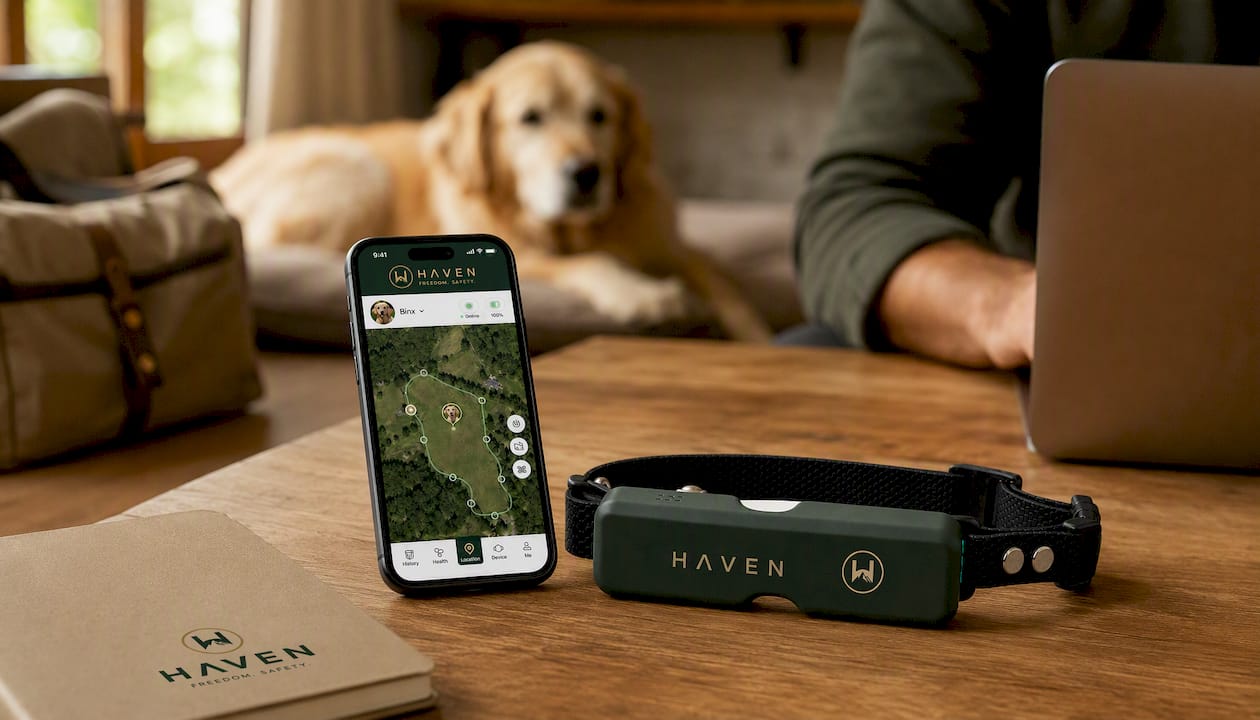
The HAVEN Freedom collar pairs escape alerts with a sound, light, and Bluetooth radar dog finder, so if a boundary issue ever does let your dog wander, recovery doesn’t depend on luck. Setup requires no trenching or buried wire, and the core fence function works without a monthly subscription. A plan is only needed if you want live 4G tracking and the full app feature set. Before your dog explores anywhere new, whether that’s your backyard or a stop at one of these dog-friendly campgrounds, a stable boundary matters. Check the product page for current setup details and get your fence running in under two hours.
FAQ
Why Is My GPS Dog Fence Not Working?
The most common causes are a low collar battery, a base that’s lost power or Wi-Fi, or GPS interference from metal roofing or dense tree cover. Run through battery, LED, and restart checks first, since those resolve most cases.
How Do I Know if My Transmitter or Base Is Bad?
Check the power light first. If it’s off entirely even after being plugged into a known working outlet, the unit itself may have failed. If the light is on but the collar still won’t connect, the problem is more likely placement or interference than a dead transmitter.
How Do I Know if My Collar Battery Is Working Properly?
A healthy battery holds its charge for the manufacturer’s stated duration and shows a steady charging light when plugged in. A battery that drains in a fraction of the expected time, or that never shows a full charge indicator, is degrading and likely needs replacement.
How Do I Troubleshoot My GPS Dog Fence System From Scratch?
Start with battery and LED checks, restart the base and collar, then move to the diagnostic flow: reproduce the problem on a leash, check app logs, inspect base placement, and run a controlled boundary walk. Document timestamps and conditions as you go.
How Do I Reset My GPS Dog Fence?
Power down both the collar and base, wait about 30 seconds, then bring the base online first followed by the collar. If that doesn’t restore the connection, a full factory reset and re-pairing sequence through the app usually clears persistent pairing errors.
Recommended
Keep reading
e collar humane
Humane E Collar Training: 7 Steps, Starting With a Vet Check
See how humane e collar training starts with a vet check, conditions tone and vibration, uses rewards, and reserves static stimulation as a last...
Read the postcoyote safety for dogs
Protect Your Dog from Coyotes in 14 Days with a GPS Boundary
Keep your dog safe from coyotes with immediate steps, yard fixes, hazing, and a 14 day GPS boundary plan you can start today.
Read the postYour adventure starts here
Ready to give your dog more room to roam?
Give your dog more freedom to explore — and give yourself the reassurance of knowing they're never far away.
