

The four biggest culprits behind spotty GPS collar tracking are household electronics like microwaves and Wi‑Fi routers, noisy LED lighting, intentional or adjacent-band signal jamming, and plain line-of-sight blockage from trees or buildings. If your dog’s location keeps freezing or jumping, do this first: walk the collar to open sky, power-cycle it, and flip off any nearby LED lights or electronics for five minutes. GPS signals are famously weak, so it doesn’t take much to knock one out.
TL;DR:
- Household electronics such as microwaves and poorly shielded LED lights can cause significant GPS signal degradation, especially when the collar is close to these sources.
- Small jammers or out-of-band signals from nearby transmitters can disrupt GPS reception over hundreds of meters, even with low power, but deliberate jamming remains illegal.
- Physical obstructions like trees and buildings often cause the most common GPS signal loss, which can be distinguished from interference by testing in open sky conditions.
- Moving the collar away from noisy electronics and ensuring proper antenna positioning can improve tracking reliability more than upgrading hardware.
- Dual-band GPS collars are more resistant to household RF interference, reducing false boundary alerts and improving steady location fixes in challenging environments.
Table of Contents
- Common Electronic Sources of GPS Collar Interference
- Jamming and Out-of-Band Signals That Can Knock Out Tracking
- Is It Interference or Just a Bad View of the Sky?
- A 20-Minute Test to Isolate the Real Cause
- Fixing and Preventing GPS Collar Signal Issues
- Why Dual-Band Positioning Changes the Interference Conversation
- Consider Havenfreedom If Signal Reliability Is Your Main Worry
- Sources
- FAQ
Common Electronic Sources of GPS Collar Interference
Your kitchen might be the least dog-friendly room in the house, tech-wise. Microwave ovens leak enough electromagnetic energy at close range to cause real measurable damage to nearby GNSS reception. Testing on consumer electronics and GNSS performance found satellite availability drops of up to 18% and positioning errors exceeding 7 meters when a receiver sat close to an active microwave. If your dog’s collar keeps glitching near the counter, that may be due to electromagnetic interference from appliances in close proximity.
Wi‑Fi routers and other 2.4 GHz gadgets add background noise but rarely cause total dropouts on their own. LED lighting is a sneakier problem: cheap drivers inside LED bulbs and fixtures can emit broadband radio frequency noise that raises the receiver’s noise floor and drowns out the faint GPS signal. This isn’t theoretical. A U.S. Coast Guard safety alert documented LED lighting degrading marine radio and GNSS reception badly enough to warrant a formal warning.
Other common offenders include:
- Switch-mode power supplies (phone chargers, laptop bricks) generating low-grade RF hum
- Vehicle electronics and dash-mounted action cameras sitting close to the collar during car rides
- Crowded home networks with multiple routers, smart plugs, and mesh extenders stacked in one room
- Older CFL or poorly shielded LED floodlights near a dog’s kennel or porch
Jamming and Out-of-Band Signals That Can Knock Out Tracking
GPS signals arrive at the receiver at roughly negative 130 dBm, a signal strength so faint that a receiver essentially has to listen for a whisper in a stadium. That fragility is exactly why interference doesn’t need to be powerful to be effective. Gps lays out how jamming and adjacent-band transmissions disrupt tracking and positioning devices across consumer and commercial use.
Small chirp jammers, some drawing as little as 10 milliwatts of power, can disrupt GNSS reception over a range of several hundred meters, according to industry testing on GNSS interference. Illegal in-car GPS jammers, sold to dodge fleet tracking, fall into this category and can blank out every GNSS device in a parked car’s vicinity.
Out-of-band interference is subtler. Nearby transmitters, even ones not aimed at GPS frequencies, can bleed energy into GNSS bands through:
- Harmonic emissions from poorly filtered transmitters
- Intermodulation, where two or more strong signals mix and create a new frequency that lands in the GPS band
- Reciprocal mixing inside the receiver itself, where a strong nearby signal degrades the local oscillator’s performance
Receiver-disruption research from ION/NAVIGATION describes these mechanisms in detail and points to filtering as the primary defense.
Is It Interference or Just a Bad View of the Sky?
Not every dropped signal is electromagnetic. Plenty of “interference” complaints are actually line-of-sight problems, and telling the two apart saves you from chasing a fix that won’t work.
- Physical blocking counts as masking, not interference. Dense tree canopy, metal roofing, and tall buildings all block the direct line to satellites, and a collar under a covered porch behaves the same way a collar next to a jammer might.
- First acquisition takes time. A collar that’s been indoors or powered off needs a clear view of the sky to redownload satellite orbit data, and that can take up to 15 minutes before positions stabilize, according to GNSS practitioner guidance from ION.
- Battery and antenna position matter more than people assume. A low battery can force a receiver into a low-power tracking mode with fewer fix attempts, and a collar antenna buried under thick fur or a bulky harness strap loses sensitivity regardless of what’s happening in the sky above.
A 20-Minute Test to Isolate the Real Cause
Run this before assuming your collar is broken or your yard has a jamming problem.
- Open-sky test. Walk your dog to the most open patch of yard you have, away from buildings and trees, and wait 5 to 10 minutes for a stable fix.
- Toggle suspect electronics. Turn off nearby LED fixtures, the Wi‑Fi router, and the microwave, and watch whether accuracy or fix speed changes. This mirrors the exact test the Coast Guard recommends for spotting LED-driven noise.
- Change location entirely. Try a different part of the property, then test inside a parked car. If the problem only shows up in one spot, you’re likely dealing with a local noise source, not a defective collar.
- Log everything before contacting support. Note the time, the GPS fix quality shown in your app, and snap photos of any electronics running nearby.
Pro Tip: Keep a simple notes app log with timestamps every time the collar drops a fix. Patterns tend to jump out after two or three days, whether it’s “always near the porch light” or “always by 6 p.m. when the neighbor’s garage door opener kicks on.”
Fixing and Preventing GPS Collar Signal Issues
Most interference problems clear up with cheap, boring fixes rather than new hardware. Start here:
- Move the collar or your dog’s resting spot away from LED fixtures and light poles by a few feet
- Fully charge and reboot the collar; a soft reset clears stuck GPS chip states more often than owners expect
- Keep the unit dry and free of mud or ice buildup, which can dampen antenna performance
- Reposition a car-mounted phone or camera away from the collar during rides
For longer-term prevention, separate antennas from noisy gear whenever you’re installing anything near your dog’s usual area, and choose LED lighting that meets proper EMC standards rather than the cheapest bulb on the shelf. Ferrite beads on nearby cabling can also tame stray RF from chargers and power bricks. On the product side, look for dual-band positioning, stronger antenna designs, and adaptive filtering, which are the features that actually reduce susceptibility rather than just adding another marketing bullet point.
Pro Tip: If you’re setting up boundaries for the first time, pair your interference troubleshooting with a proper GPS dog fence setup routine. A collar sitting in a weak-signal zone from day one gets blamed for “interference” that’s really just bad placement.
Why Dual-Band Positioning Changes the Interference Conversation
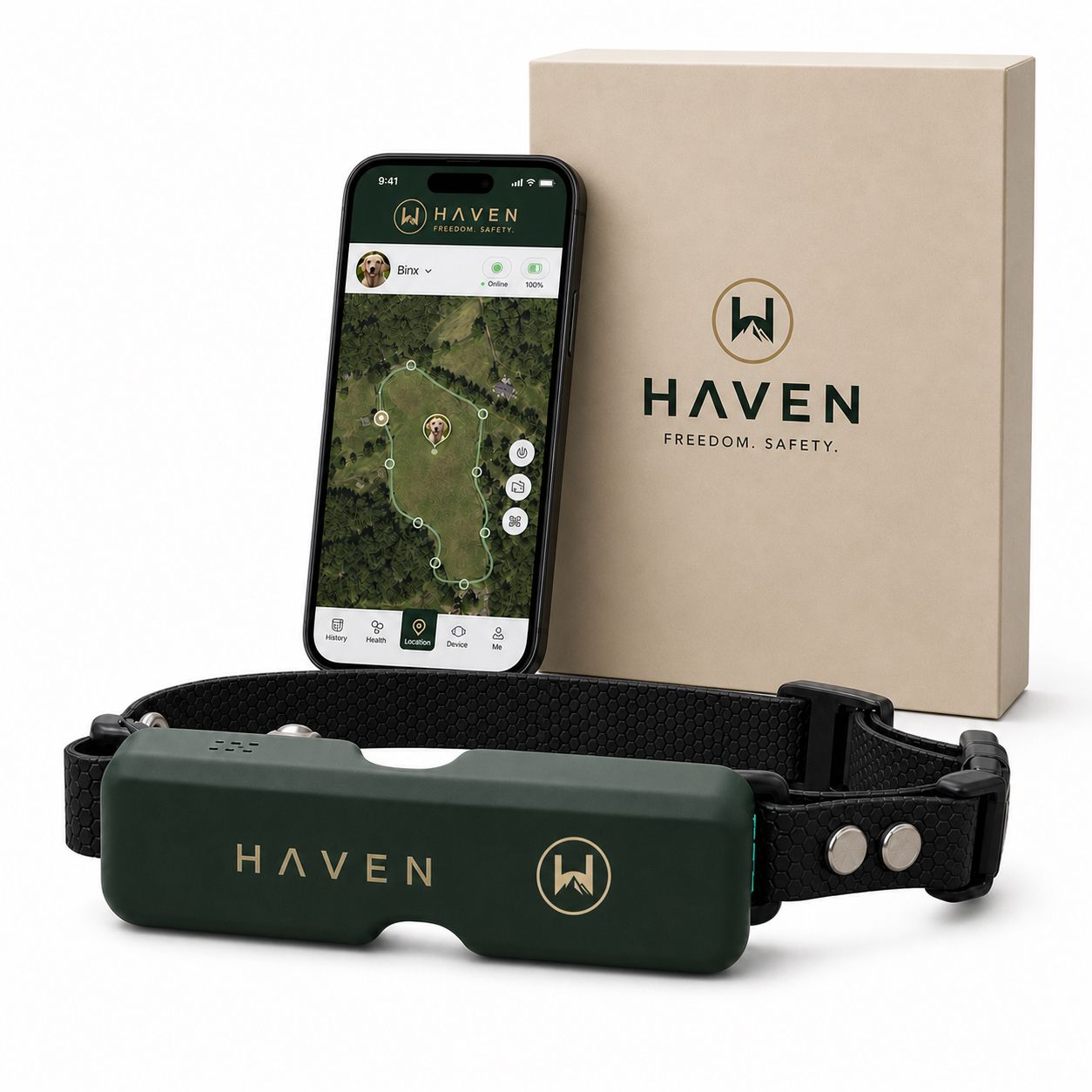
Havenfreedom built its collar around dual-band GPS positioning specifically because single-band receivers are the ones most vulnerable to the noise sources covered above. Using two frequency bands gives the receiver a second, independent reference point when one band gets degraded by a nearby LED driver or a burst of household RF noise, which cuts down on the false boundary alerts that frustrate owners the most.
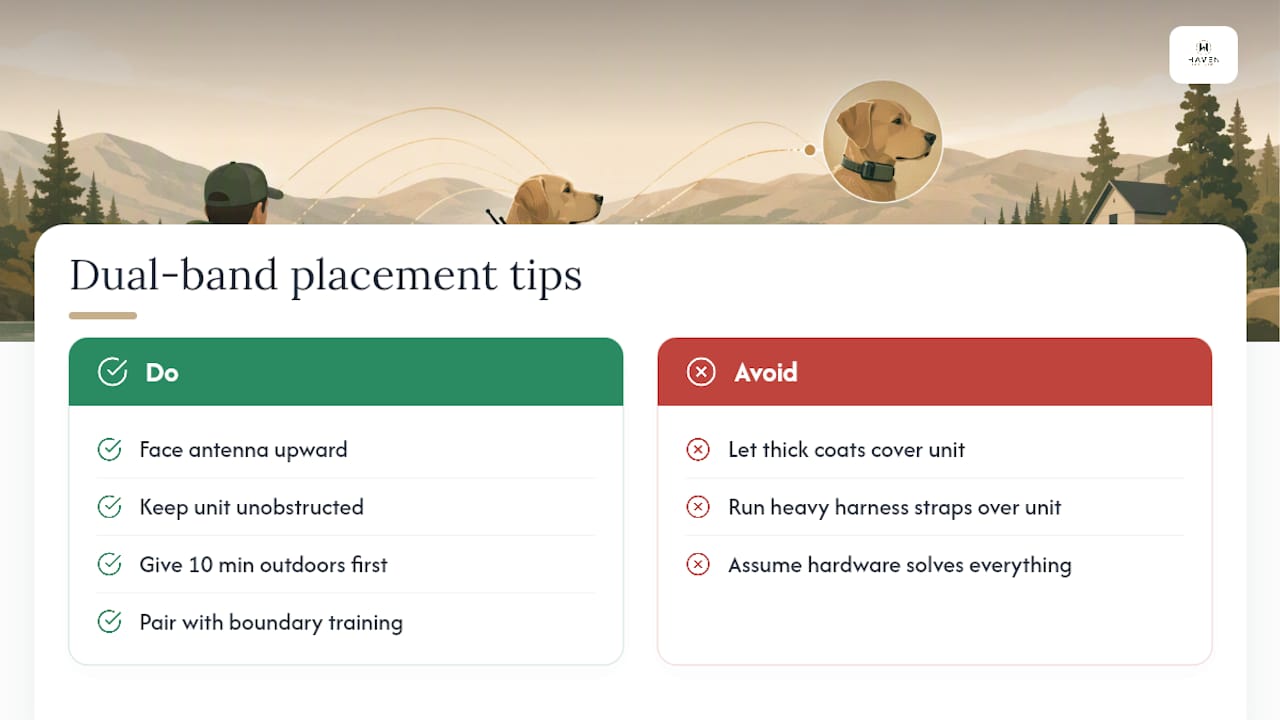
Placement still matters more than most people think. Keep the collar’s antenna side facing up and unobstructed, avoid letting thick coats or heavy harness straps sit directly over the unit, and give a new collar its first ten minutes outdoors in open sky before trusting the boundary. Pairing that with basic boundary training habits, rather than assuming the hardware alone will handle everything, is what actually keeps escape-prone dogs safe over the long run.
— Haven
Consider Haven Freedom If Signal Reliability Is Your Main Worry
If everything above has you wondering whether any collar can truly dodge interference, the honest answer is that no product eliminates the physics. Some GPS collar products use dual-band positioning for steadier fixes, live tracking and escape alerts when a boundary is crossed, and a sound, light, and Bluetooth dog finder for the moments recovery matters most.
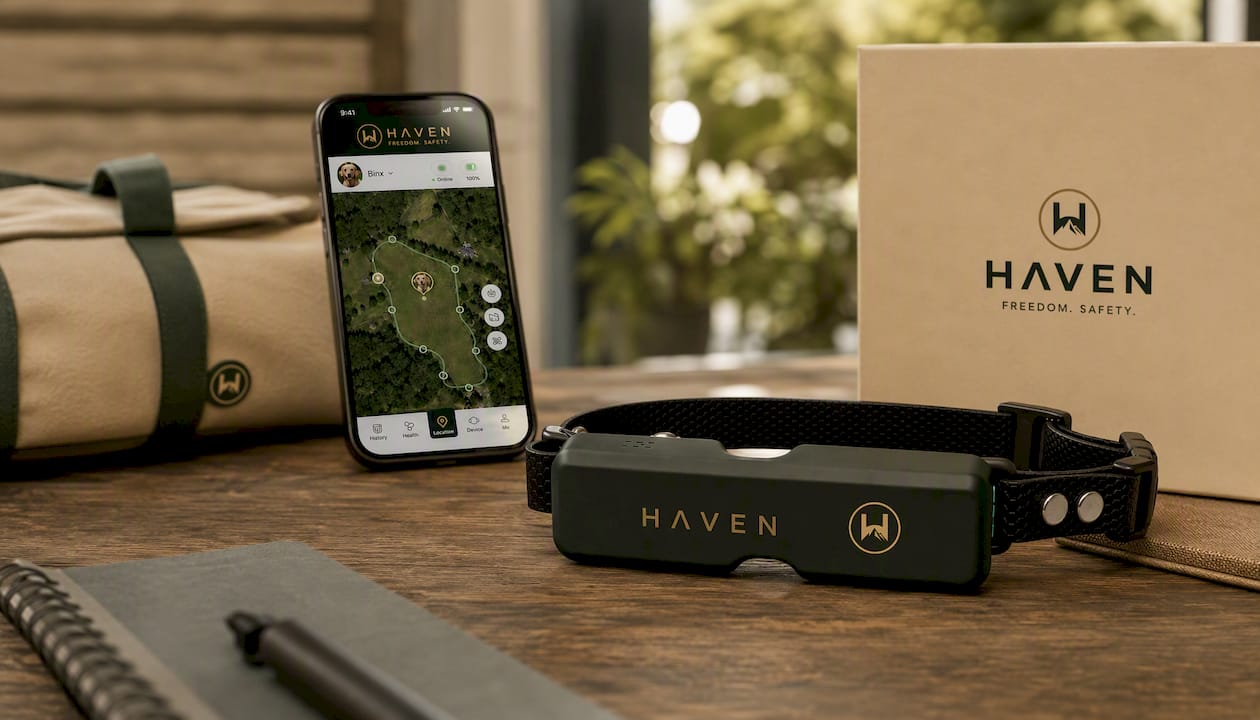
None of that requires buried wires, and the containment fence itself can work without a monthly subscription. Some features may require a plan for live tracking and extra app features. One caveat worth saying plainly: deliberate jamming devices are illegal and rare in most neighborhoods, but no consumer collar, ours included, can out-engineer a dedicated jammer. For the everyday interference sources covered here, the HAVEN Freedom GPS collar is built to handle them. Take a look at the product page and see if it fits your yard and your dog.
Sources
- Gps
- USCG Safety Alert: Potential interference of LED lighting with VHF/AIS
- Mechanisms of GNSS receiver disruption and mitigation (ION/NAVIGATION technical paper)
FAQ
What interferes with GPS tracking?
Household electronics like microwaves and routers, LED lighting with noisy drivers, intentional or adjacent-band jamming signals, and physical obstructions like trees and buildings are the main culprits behind disrupted GPS tracking.
Do clouds interfere with GPS?
No. Standard cloud cover has no meaningful effect on GPS signals, since the frequencies used pass through weather largely unaffected; heavy tree canopy and buildings cause far more real-world blocking than clouds ever do.
Do GPS collars actually work?
Yes, GPS collars work reliably in open, unobstructed areas, and models using dual-band positioning like the HAVEN Freedom collar hold up better against common household noise than single-band designs.
How does a GPS dog collar work?
A GPS dog collar receives extremely faint satellite signals, roughly negative 130 dBm, calculates position from multiple satellites, and transmits that location to your phone through cellular or Bluetooth connectivity depending on the model.
Recommended
Keep reading
en
14 Days to Keep Your Dog on Your Property With a Boundary Plan
Compare fences, fence upgrades, GPS collars, and pens, then follow a 14 day boundary plan to reduce escapes and choose a setup that fits...
Read the poste collar humane
Humane E Collar Training: 7 Steps, Starting With a Vet Check
See how humane e collar training starts with a vet check, conditions tone and vibration, uses rewards, and reserves static stimulation as a last...
Read the postYour adventure starts here
Ready to give your dog more room to roam?
Give your dog more freedom to explore — and give yourself the reassurance of knowing they're never far away.
