
All posts
dog collar app notifications
3 Ways Dog Owners Get Honest, Fast Dog Collar App Notifications

Reliable dog collar app notifications come down to three things: fast geofence and escape alerts, an honest “signal lost” state instead of a frozen map dot, and low battery warnings that arrive before the collar actually dies. Before anything else, open your phone settings and grant background location and notification permissions, exempt the app from battery optimization, and walk your dog past the fence line to confirm timely exit alerts. The HAVEN Freedom collar was built around exactly this kind of signal honesty.
TL;DR:
- False geofence alerts can occur if the fence radius is too tight, especially with trackers having 20 to 30 meters of GPS accuracy, requiring a 30-50% padding.
- Signal loss alerts should be honest, indicating when the collar temporarily loses connectivity rather than showing outdated or frozen positions, which can cause false reassurance.
- Proper setup and testing of notifications before your dog’s outdoor trips—including walks past the fence and simulating signal loss—ensure alerts arrive within one to two minutes and are reliable in real conditions.
- Low battery, tamper, or signal loss alerts require prompt action, while geofence entry and activity updates are less urgent and should be monitored accordingly.
- Integrating collar alerts with smart home devices or secondary channels provides redundancy, preventing missed escapes if the primary device or network fails.
Table of Contents
- Types of Dog Collar Alerts and Which Ones Need Action Now
- How Geofencing and Push Alerts Actually Get to Your Phone
- Setting Up Your Phone for Alerts You Can Actually Trust
- Testing Your Dog Collar Notifications Before You Need Them
- Turning Alerts Into a Calm Response Plan, Not a Panic Button
- How Haven Freedom’s Design Handles These Failure Points
- Connecting Your Collar Alerts to the Rest of Your Smart Home
- Why Signal Lost Beats a Frozen Dot Every Time
- Haven Freedom: Your Next Step Toward Alerts You Can Trust
- Sources
- FAQ
Types of Dog Collar Alerts and Which Ones Need Action Now
Not every alert deserves the same reaction, and knowing the difference keeps you from either panicking over nothing or ignoring something that matters.
Geofence alerts fire on enter, exit, and sometimes “dwell” events, meaning the collar has to stay outside the boundary for a few seconds before the app flags it. That dwell buffer matters more than people realize: a dog who steps one paw over the line and back doesn’t need to trigger a phone call to you at work. Escape alerts are the ones that should always get an immediate response, since they typically mean the dog has crossed the boundary and stayed out, which is when live tracking becomes useful instead of optional.
Here’s how the alert types break down by urgency:
- Escape alerts: act immediately, check live location, prepare to recall or retrieve
- Geofence exit/enter: monitor briefly, confirm it isn’t a false trigger from GPS drift
- Low battery or tamper alerts: charge the collar or inspect the hardware within the day
- Signal lost: treat as unknown location, not “last known is fine”
- Activity and health updates: useful context, but not time-sensitive
Signal lost deserves its own callout because it’s the alert type most apps get wrong. A collar that stops transmitting isn’t the same as a collar sitting still, and an app that shows the same static dot for either case is lying to you by omission.
How Geofencing and Push Alerts Actually Get to Your Phone
Understanding the mechanics behind smart dog collar alerts helps you judge whether a delay is a bug or just physics.
A geofence is a virtual boundary registered inside the app, and the system checks the collar’s reported position against that boundary every time a new location comes in. The catch is that GPS accuracy isn’t perfect. A tracker with typical horizontal accuracy of 20 to 30 meters needs a fence radius padded by 30 to 50% over that margin, or you will get false exit alerts every time the signal drifts. A 50-meter fence paired with a 30-meter-accuracy device is a recipe for constant false alarms.
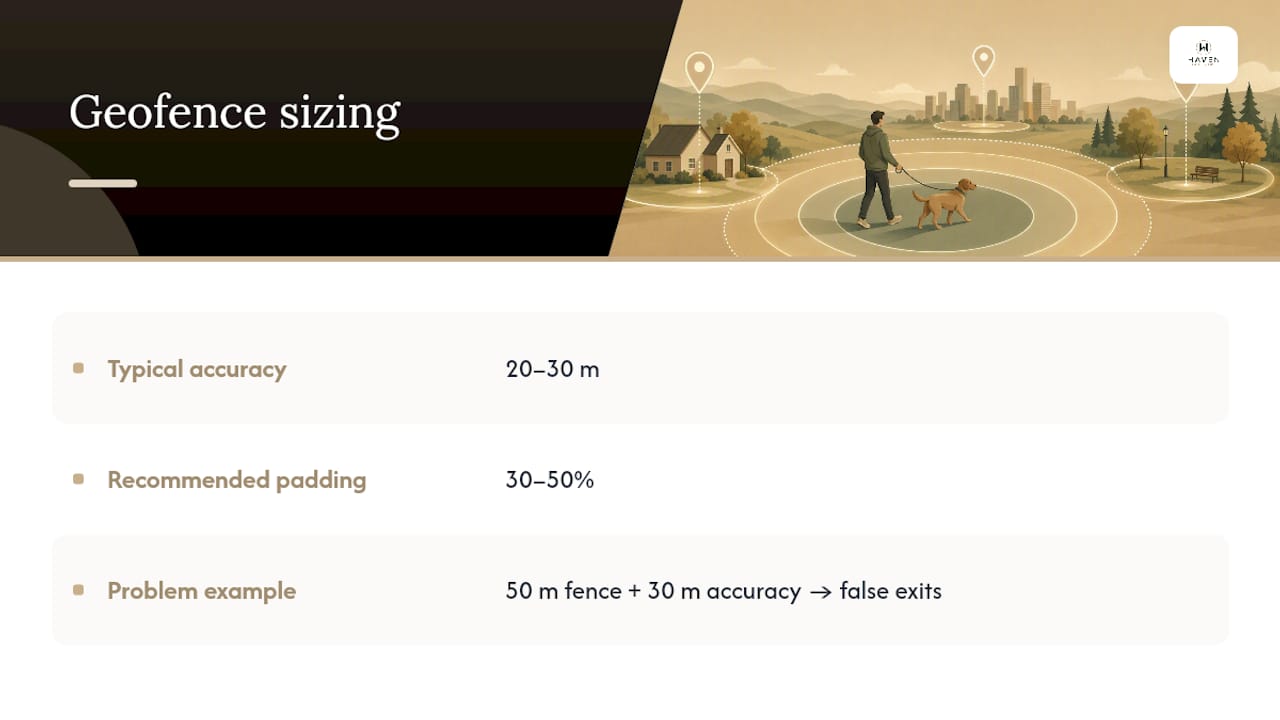
Location itself comes from a mix of sources. GPS and GNSS satellites handle open-air positioning, Bluetooth handles short-range detection when the dog is close to a paired phone or base station, and cellular data carries the location back to the app’s servers for live tracking. None of that matters if the notification never reaches your lock screen, which is where push delivery comes in. Android apps generally route alerts through Firebase Cloud Messaging, while iOS uses Apple Push Notification service, and both platforms throttle or delay delivery under certain battery and background conditions.
This is exactly why a well-built app shows a distinct “signal lost” state rather than freezing the last known dot on the map. If the collar goes quiet, the app should say so plainly instead of letting you assume everything’s fine.
Setting Up Your Phone for Alerts You Can Actually Trust
Most missed pet tracking app notifications trace back to phone settings, not the collar itself. Here’s the checklist that fixes the majority of them:
- Grant both location permission tiers. Foreground location alone isn’t enough. Set the app to “Allow all the time” so it can report exits while your phone is in your pocket.
- Turn off battery optimization for the app. Android manufacturers like Samsung and OnePlus run aggressive background killers that silently stop location apps from updating. Find the app in Settings, then Battery, then set it to unrestricted.
- Check iOS Background App Refresh. If this is off for the collar app, alerts can lag well behind real events.
- Set critical alerts to audible, not silent. Escape alerts should never be a vibration you might miss in a loud kitchen.
- Match your geofence radius to the collar’s real-world accuracy, adding the accuracy margin instead of drawing the tightest circle possible.
- Adjust sync intervals. Faster polling while the dog is active drains battery quicker but shortens alert lag; slower polling when the dog is resting is fine and saves power.
Pro Tip: Test your notification setup with the phone screen off and locked, not while you’re actively watching the app. That’s the real-world condition an alert actually needs to survive.
Testing Your Dog Collar Notifications Before You Need Them
Running a short test plan beats waiting months to find out your alerts don’t work.
- Geofence walk test. Walk the collar past the boundary and time how long the exit alert takes to arrive. Alerts significantly delayed beyond a couple of minutes may indicate connectivity or permission issues.
- Forced signal loss test. Put the collar or your phone in airplane mode briefly and confirm the app shows “signal lost,” not a silently frozen location.
- Low battery simulation. If the app supports a test mode for this, run it; otherwise, note how far in advance real low-battery warnings actually arrive.
A documented test sequence like this, logged with timestamps and device model, gives you something concrete if you ever need to contact support. If a test reveals delays rather than missing alerts, check for pending firmware or app updates first, then re-pair the collar, then move to open sky if GPS accuracy looks off. Before reaching out for help, collect screenshots, exact timestamps, your phone model, and the app version. That handful of details cuts troubleshooting time dramatically.
Turning Alerts Into a Calm Response Plan, Not a Panic Button
Notifications work best when they’re paired with training, not just reaction. Use geofence exit alerts as a timing cue: when your dog returns inside the boundary on their own, reward it, so the boundary itself starts to feel like part of the routine rather than a punishment zone.
When an actual escape alert fires, the response should be practiced, not improvised: check the live map first, approach from a calm angle rather than chasing, and use dog finder tools like sound or light cues if your dog wanders out of sight. Don’t overreact to every geofence blip. Dwell settings exist so a momentary GPS wobble doesn’t send the whole household into crisis mode. If multiple family members have app access, decide ahead of time who responds to what, so an escape alert doesn’t turn into three people converging on the same spot while nobody checks on the dog.
How Haven Freedom’s Design Handles These Failure Points
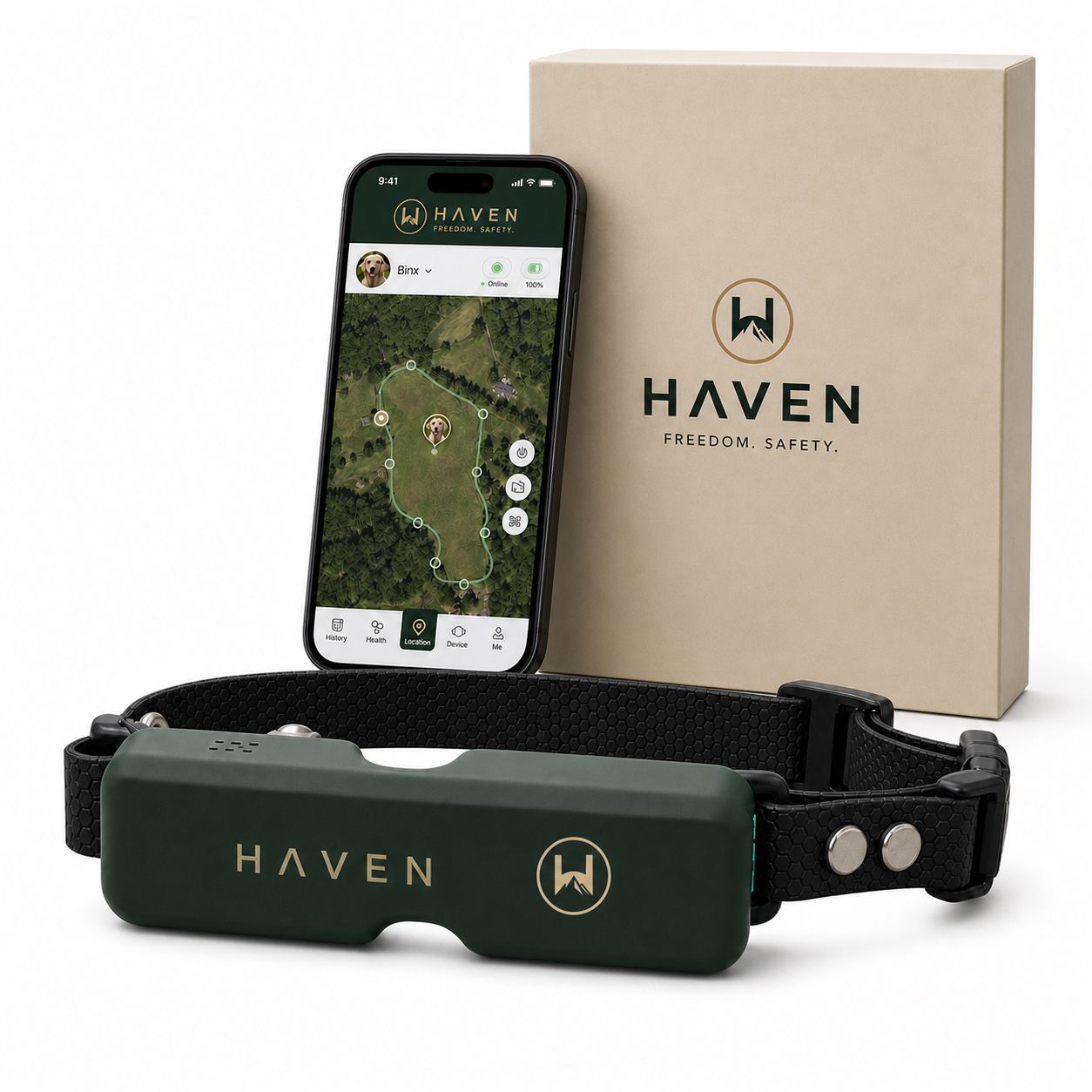
The HAVEN Freedom collar tackles the exact reliability gaps this guide covers, using dual-band positioning to keep location data steady even when one signal type weakens.
- Escape alerts trigger distinctly from routine geofence exits, so urgency is clear
- Dog finder mode combines sound, light, and Bluetooth radar for close-range recovery
- Optional live-tracking plan adds continuous updates on top of the subscription-free fence
- Signal lost states are surfaced honestly rather than freezing the last position
The fence itself works without any monthly plan, and the 30-minute setup guide walks through boundary creation and initial testing so you can run the geofence walk test the same day you unbox the collar.
Connecting Your Collar Alerts to the Rest of Your Smart Home
A dog collar notification doesn’t have to live in isolation. Most modern collar apps support at least basic integration with your phone’s existing alert ecosystem, and a few go further into smart home territory.
At the simplest level, escape and low-battery alerts can be routed through your phone’s notification center alongside everything else, which means they show up on a smartwatch if you wear one paired to the same phone. That’s a meaningful upgrade for anyone who doesn’t always have their phone in hand while working in a yard or garage. Some households also link collar alerts to smart speakers or hub-based automations, so an escape notification can trigger a specific chime distinct from a text message buzz, useful when regular notifications tend to blend together.
Where integration matters most is redundancy. If your primary notification channel fails (a dead phone battery, a spotty cellular connection at a rural property) a secondary device catching the same alert through a shared account or smart home hub can be the difference between catching an escape in minutes versus hours. Not every collar app supports this level of cross-device alerting yet, so check the specific features before assuming a smartwatch or smart speaker will pick up canine activity alerts automatically.
The broader trend is toward alerts becoming less phone-dependent and more distributed across whatever screen or speaker happens to be nearest you at the moment something goes wrong.
Why Signal Lost Beats a Frozen Dot Every Time
The single biggest gap between average pet tracking apps and good ones isn’t tracking accuracy. It’s honesty about uncertainty. An app willing to tell you “we don’t know where your dog is right now” is doing you a bigger favor than one that shows a confident, unmoving pin that happens to be hours old.
Run the geofence and signal-loss tests this week, not after something goes wrong. Pair every alert with a training response so escapes become manageable events instead of emergencies.
— Haven
Haven Freedom: Your Next Step Toward Alerts You Can Trust
Everything in this guide points to one design principle: notifications only help if they’re honest and fast, and that’s the standard the HAVEN Freedom collar was built around. Dual-band positioning, distinct escape alerts, and a sound-light-Bluetooth dog finder address the exact failure points covered above, without locking you into a monthly plan just to use the fence itself.
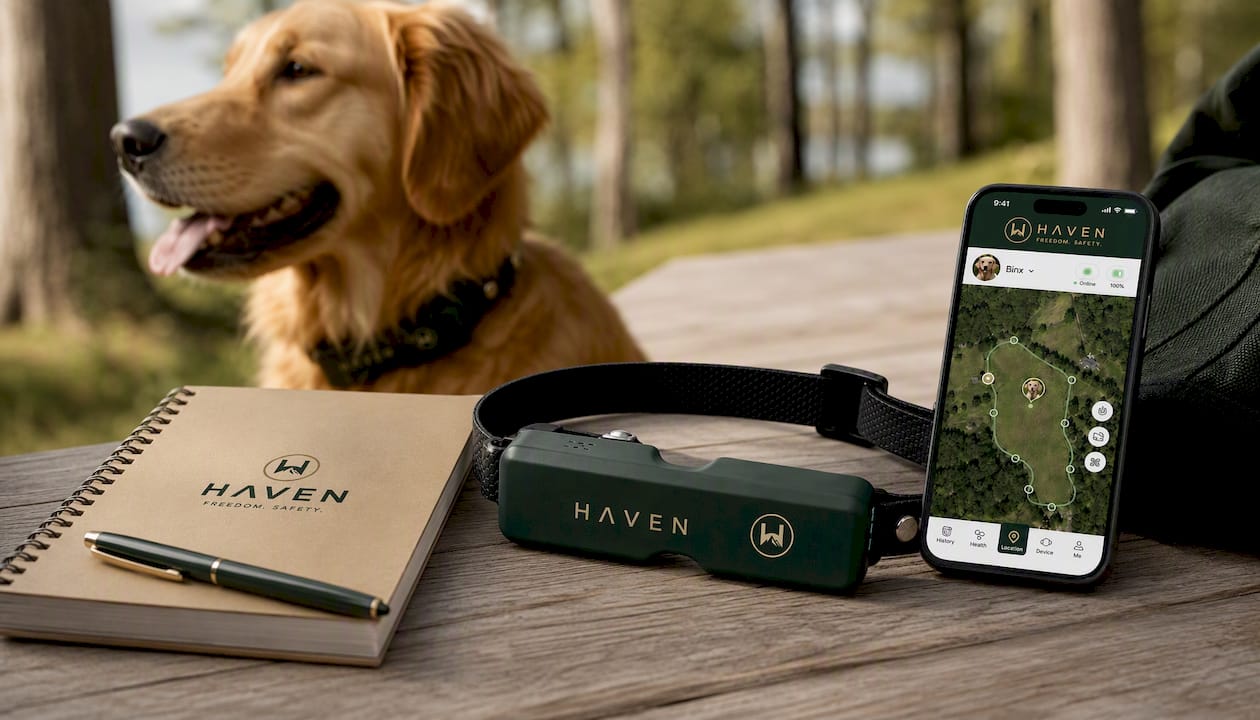
Start with the 30-minute setup guide to get your boundary running today, then run the geofence and signal-loss tests from this guide before you ever rely on it in the field. If you want continuous live updates beyond fence alerts, the optional tracking plan adds that layer without changing anything else about the setup. Check the product page for full specs and get your collar configured before your dog’s next trip outside.
Sources
For the technical side of app-based pet tracking, PetGuider’s breakdown of GPS pet tracking app development covers push delivery and geofence accuracy in more depth. For boundary training that pairs with your alerts, see GPS boundary training for dogs and the 14-day wireless fence training plan. For general pet wellness context around activity alerts, check the Animal Care of Hobe Sound blog.
- Android App Development for GPS Pet Tracking Apps
FAQ
How Fast Should a Geofence Exit Alert Arrive?
A well-configured setup should deliver an exit alert within one to two minutes of the dog crossing the boundary, assuming background location and notifications are both enabled.
Does Signal Lost Mean the Collar Is Broken?
Not necessarily. Signal lost usually means the collar temporarily lost GPS, Bluetooth, or cellular connectivity, and the app should say so rather than showing an old location as if it were current.
Will Background Location Permissions Drain My Phone Battery?
Some, but modern location APIs are efficient, and the tradeoff is far smaller than the risk of missing an actual escape alert because permissions were too restrictive.
How Do I Know if My Geofence Radius Is Too Small?
If you’re getting frequent exit alerts while your dog is clearly still inside the yard, the radius likely needs a bigger accuracy margin, especially if your tracker’s typical accuracy runs 20 to 30 meters.
Can I Test Notifications Without Waiting for a Real Escape?
Yes. Walking the collar past the boundary intentionally, plus a brief airplane mode test, reproduces the two most important alert scenarios in under ten minutes.
Recommended
Keep reading
e collar humane
Humane E Collar Training: 7 Steps, Starting With a Vet Check
See how humane e collar training starts with a vet check, conditions tone and vibration, uses rewards, and reserves static stimulation as a last...
Read the postcoyote safety for dogs
Protect Your Dog from Coyotes in 14 Days with a GPS Boundary
Keep your dog safe from coyotes with immediate steps, yard fixes, hazing, and a 14 day GPS boundary plan you can start today.
Read the postYour adventure starts here
Ready to give your dog more room to roam?
Give your dog more freedom to explore — and give yourself the reassurance of knowing they're never far away.
